
When I first started creating digital products, I definitely did not consider myself a graphic designer.
I was simply looking for ways to create products online and hopefully make a little extra income.
That search led me to Canva and Etsy.
Since then, I’ve tried creating birthday invitations, eBooks, and other digital products. My newest adventure is creating children’s activity books.
Have I figured out the secret to making thousands of dollars on Etsy?
Nope.
But I am learning a lot.
And if you’re thinking about creating digital products yourself, I thought I would share some of the things I’ve discovered along the way.
Why I Started Using Canva
One of the things that initially intimidated me about selling digital products was the design part.
I’m not a professional graphic designer, and I didn’t want to spend months learning complicated design software before I could create my first product.
That’s one reason I like Canva.
Canva gives beginners access to templates, graphics, fonts, shapes, photos, and other design tools in a format that’s relatively easy to learn.
There is still a learning curve—I discover new Canva features all the time—but I didn’t have to become a graphic designer before I could start creating.
And there are so many different things you can make.
Invitations.
eBooks.
Checklists.
Planners.
Worksheets.
Social media graphics.
Activity pages.
Printables.
The list goes on.
Of course, if you plan to sell something you create in Canva, it’s important to understand Canva’s current licensing rules and make sure you are allowed to use the elements you’ve chosen in the way you intend to sell your finished product.
My First Etsy Designs: Invitations
One of the first products I tried creating was digital invitations.
I created patriotic birthday invitations tied to America’s 250th celebration. I thought they looked great and listed them on Etsy.
Then I waited.
And waited.
Not one buyer.
That was disappointing, but it also taught me an important lesson:
Creating something doesn’t mean people are going to buy it.
I could spend hours making a beautiful design, but if people aren’t searching for it—or they can’t find my listing—it isn’t going to sell.
That’s when I began realizing there was a lot more to Etsy than creating the product.
You also have to think about things like:
- What are people searching for?
- What keywords are they typing into Etsy?
- What should I put in my title and tags?
- Are my listing photos attractive?
- Is my price reasonable?
- Who is the product actually for?
I’m still learning these things.
Then I Tried Creating eBooks
My next adventure was creating eBooks.
This was where I began to see how useful Canva could be for something beyond a single-page design.
Instead of creating just a cover, I could design an entire book with consistent fonts, headings, colors, graphics, checklists, and other elements.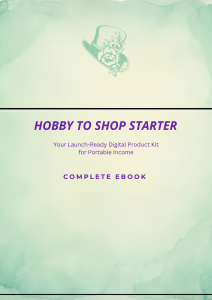
I also learned something else.
You don’t have to start every product from scratch.
Something you learn while creating one product can help you create the next one.
The more I worked in Canva, the more comfortable I became with layouts, spacing, font combinations, page sizes, and organizing information.
I still make mistakes. I still change my mind halfway through a design. And sometimes I look at something I’ve spent an hour creating and decide I don’t like it at all.
That’s part of learning.
Now I’m Trying Children’s Activity Books
My newest project is something completely different:
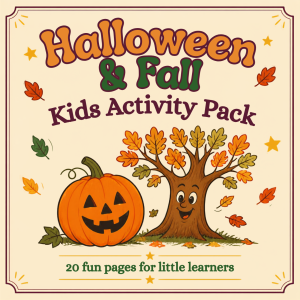
Children’s activity books.
I’ve been creating printable pages that include activities such as coloring and puzzles.
This has been fun because every page can be different while still being part of the same theme.
But once again, I’m discovering that creating the pages is only part of the job.
I also have to think about the parent, grandparent, or teacher who might buy the book.
Is the age level clear?
Are the instructions easy for a child to understand?
Will the pages print properly?
Are there enough activities to make the product feel worthwhile?
Does my Etsy listing clearly show what the buyer is getting?
I’m learning to look at my designs from the customer’s point of view instead of just asking myself, “Do I like this?”
That’s a big difference.
My Basic Canva-to-Etsy Process
I’m still refining my process, but here’s roughly how I’m approaching new products now.
First, choose the product.
Instead of opening Canva and randomly designing something, I’m trying to decide what I want to create and who it’s for.
Next, do some research.
I look at Etsy and other places to see what kinds of products already exist, how people describe them, and what shoppers might be searching for.
The goal isn’t to copy someone else’s product.
It’s to understand the market before spending hours creating something.
Then I create the product in Canva.
This is the fun part.
I choose the page size, create the layout, select fonts and graphics, and build the individual pages.
Then I check everything.
Spelling mistakes are easy to miss when you’ve been staring at the same page for an hour!
 With printable products, I also want to make sure the pages actually look good when they’re printed.
Then I create the Etsy listing.
This means creating listing images, writing the description, choosing a title, selecting keywords and tags, deciding on a price, and clearly explaining what the customer will receive.
And then comes the hardest part.
Waiting to see if anyone buys it.
What I’ve Learned So Far
Probably the biggest lesson I’ve learned is that creating the product is only half the job.
You can create something wonderful, but customers still have to find it.
That means I also need to learn about Etsy search, keywords, product titles, tags, listing images, pricing, and promotion.
I’ve also learned that not everything I create is going to sell.
That’s a hard lesson when you’ve put a lot of time into something.
But I’m trying to look at each product as an experiment.
If something doesn’t sell, I can ask why.
Was it the product?
The price?
The listing images?
The keywords?
The audience?
Or maybe I simply haven’t given it enough time.
I’m also learning to start simple.
It’s very easy to look at beautiful Etsy shops and think your products need to look that polished on Day One.
They don’t.
Everyone has to create a first product.
One Idea Can Become Many Products
This is something I’m beginning to see more clearly with children’s activity books.
One successful idea doesn’t necessarily have to be just one product.
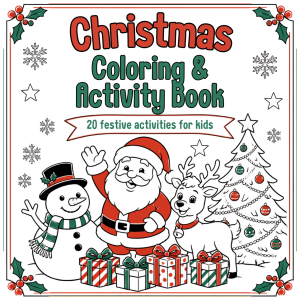
For example, a children’s Christmas activity book could lead to:
Christmas activity pages
Valentine’s Day activities
Easter activity books
Summer vacation activities
Road-trip activity packs
Halloween activity books
Birthday activity pages
The same basic design skills can be used again and again while creating completely different products.
That makes the time I’m spending learning Canva feel much more valuable.
Can You Really Make Money Selling Canva Designs on Etsy?
That’s the big question, isn’t it?
I’m not going to tell you that opening Canva, creating a few printables, and putting them on Etsy will suddenly give you a passive-income business.
That hasn’t been my experience.
Some things I’ve created haven’t sold at all.
I’m still experimenting.
I’m still learning.
And I’m still trying new ideas.
But that’s also why I wanted to write this post.
There are plenty of people online telling us how much money they’ve made selling digital products.
I want to share what it’s like to start at the beginning.
The successes and the failures.
What’s Next?
Right now, I’m focusing on my children’s activity books and seeing where that takes me.
Maybe they’ll sell.
Maybe I’ll discover that I need to change something.
Maybe they’ll lead me to an entirely different product idea.
That’s part of the adventure.
One thing I know for sure is that I’ve learned far more by actually creating products than I would have learned by waiting until I knew exactly what I was doing.
So if you’ve been thinking about creating something in Canva and selling it online, you don’t necessarily need to have everything figured out before you begin.
Start learning.
Create something.
See what happens.
Then improve the next one.
That’s exactly what I’m doing.
If you’re also trying to build an online income with digital products, follow along with me. I’ll continue sharing what I try, what I learn, what works—and what doesn’t.
We’re figuring this out one product at a time.
